Home
Customer operations overview
Understand the core promise behind customer workspaces for delivery, billing, and support.
Curoxi brings customer workspaces, AI task creation, delivery tracking, billing, structured support, and renewal visibility into one connected operating system for service teams.
Use the customer operations guide to map your team’s needs, then compare the workflows and pricing assumptions against your current tools. When you are ready, start with one customer workspace.
Understand customer operations software
Compare Jira, Zoho Billing, and Zendesk with Curoxi
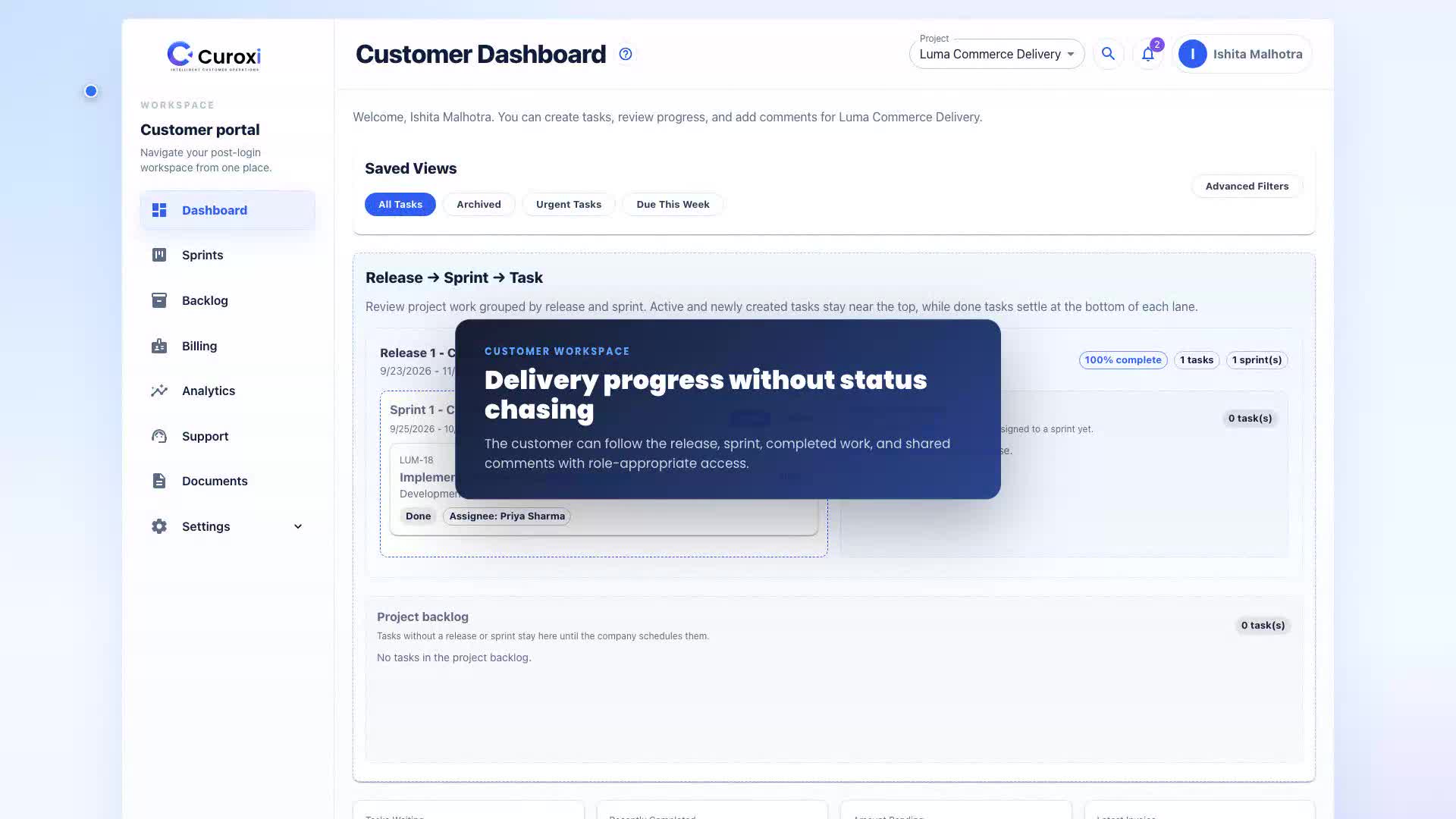
Software agencies, implementation consultancies, and B2B service teams can organize each customer’s projects, billable work, and support in one workspace. It is a fit when delivery, finance, and support need to coordinate around the same customer account.
Example workflow: a service team delivers a customer’s checkout update. Each step is a team action in Curoxi, with billing and access configured for that workspace.
Create the checkout update task under the customer’s project and assign an owner. For meeting-note automation, configure the inbox and AI settings first, then review the generated draft tasks.
Meeting-note setup guidePlace the task in a sprint and release, update its status, and keep comments with the work. Customer users can follow project progress through the dashboard according to their access.
Customer dashboard guideFor task-based billing, check completed billable tasks, configured rates, and the customer billing profile before generating an invoice. Review the invoice, send it, and record payments in the workspace.
Invoice generation guideWith support enabled, the customer can raise a ticket about the delivery or invoice, attach evidence, and follow replies and status changes. The team keeps the support discussion in the same customer workspace.
Customer support guideInstead of splitting work across separate project, billing, and support systems, Curoxi organizes operations around the customer workspace. That gives every team member one place to understand what has been delivered, billed, paid, and escalated.
Curoxi is designed for company users, customer users, and project-level members who need different visibility without breaking the shared account picture.
That means teams can expose the right workspace view to the right people while still keeping delivery, billing, and support aligned around one customer record.
Browse the core pages that explain how Curoxi works, how pricing is structured, and how to start a workspace.
Home
Understand the core promise behind customer workspaces for delivery, billing, and support.
Features
Review customer workspaces, AI task creation, delivery tracking, support, and billing workflows.
Contact
Route pricing questions, rollout discussions, and workspace setup needs to the right team.
Start
Start with the standard workspace signup flow or jump directly into the Pro trial.